
Adverbial Arcade
In Chinese, when, where, with whom and how all go between the subject and the verb. Pick one of four games and play it on the big screen with the class.
All four games work online and in the classroom:
Sentence slot machine
Whole class · big screen

Pull the lever and six reels stop on a sentence: who, with whom, when, where, how, what. Lock a reel, or mix the order and let students fix it.
- Online
- Share your screen and spin. Students shout “停!” and you stop that reel; they say the whole sentence.
- In class
- Put it on the big screen. Students come up to pull the lever and stop the reels.
Rolling snowball
Whole class · big screen

The sentence starts short. Add one part at a time and tap where it goes. Every right answer rolls the snowball further and makes it bigger; a finished sentence becomes a snowman.
- Online
- Share your screen. A student picks a part, says the new sentence, then says which number it goes in. You tap it.
- In class
- On the big screen, students come up and tap, or the class calls the number and you tap.
Who ate the cake?
3+ players · works online
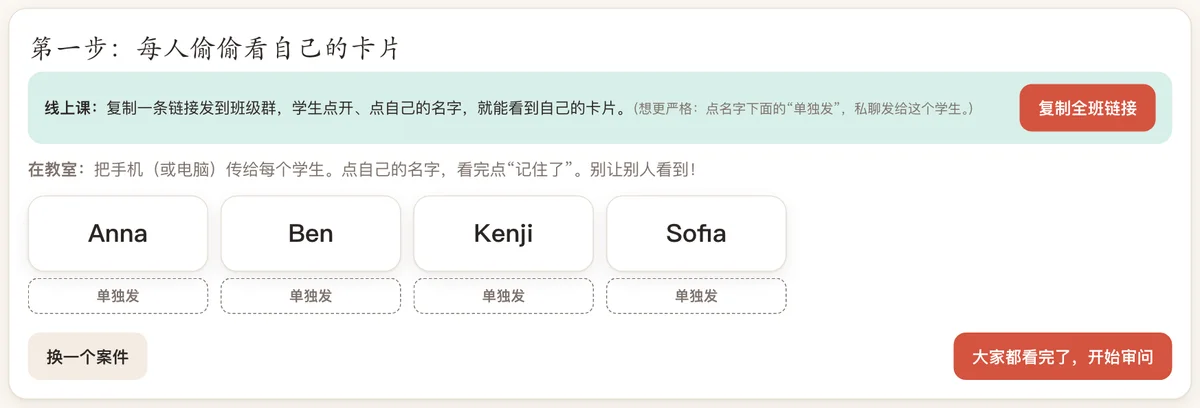
Each student gets a secret card and says their alibi in one full sentence. The class finds the liar. In online classes, send each student their own link.
- Online
- Copy one link into the class group chat. Each student opens it and taps their own name to see their secret card; the questioning happens on video. For stricter play, send each student their own link.
- In class
- Pass the phone or computer round. Each student looks at their own card in secret, then stands up and speaks.
Falling blocks
One player or take turns
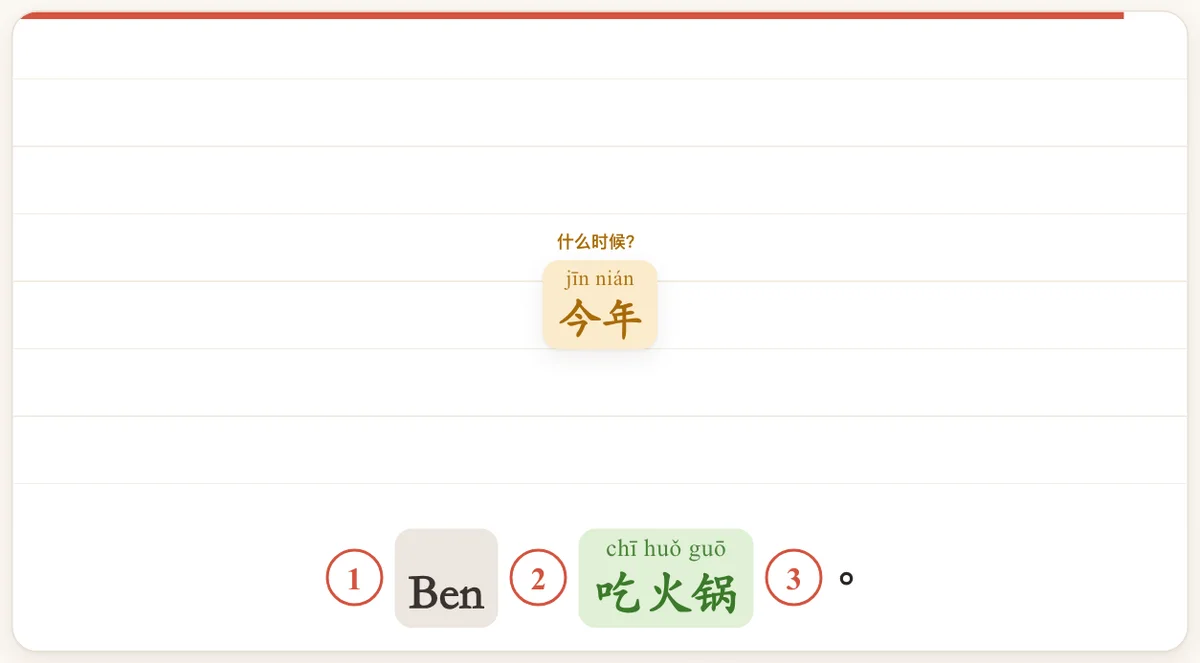
Parts of the sentence fall from the top. Tap where each one goes before it lands. One minute per round.
- Online
- Share your screen. Students call the number (1, 2, 3…) and you press that key. Or send the link and let each student play one minute alone.
- In class
- On the big screen, students take turns tapping; or play in teams that call the number.